 Talk
TalkThe seat minimum that picks your plan
Buyers compare feature tables. Vendors draw the decisive line somewhere else, in a short phrase beside the plan name that says how many people may sit on it. Three vendor pages read on October 24, 2026 all carry one.
The phrase takes three forms: a floor you must reach, a ceiling you must not pass, and a licence count that unlocks a feature. All three override the comparison grid above them.
A ceiling is a minimum wearing different clothes
Google Workspace states its ceiling in the title of its own comparison page. The heading over the Business editions table gives the range as 1 to 300 users, before any feature is listed.
The feature table repeats it as a row. Under "Number of users", all three Business editions read "1-300". The Enterprise comparison page gives the same row as "Any number".
The signup guidance is where the limit becomes operational. You may "sign up with a business email address or verified domain to add up to 300 users".
So a company at 290 people is not choosing between Business Plus and Enterprise Standard on features. It is choosing how many more people it expects to hire.
Microsoft publishes the same number with more enforcement language, and the worked example is unusually frank for a pricing page.
"Our Microsoft 365 for business base plans (charged per user) are designed for organizations with up to 300 users," its comparison page says, and then it does the arithmetic for you.
"For example, if an organization is provisioned for 250 seats of Business Premium, the organization is eligible to provision only 50 more seats in total across the family of business plans."
The limit is a tenant limit, not a per-product one. "Microsoft reserves the right to enforce the tenant limit of 300 provisioned licenses across the family of business plans."
Same page, the migration path is stated plainly: enterprise plans are "designed for enterprise customers and those with more than 300 users".
Note what a ceiling does to a growing company. It converts a hiring decision into a licensing migration, at a price per seat the buyer has not negotiated yet.
The twenty-seat floor
Anthropic publishes a floor rather than a ceiling, and it sits under the plan that holds the administrative features.
Its pricing page describes the Claude Enterprise plan as "Seat price + usage at API rates", on these terms: "US$20/seat/month, billed annually, 20 seat minimum. Usage cost scales with model and task."
That is a published floor of $4,800 a year in seat fees before a single token of usage, by our arithmetic from the quoted figures, for a company that may only want five accounts.
The tier below it has a ceiling instead. The Claude Team plan is offered "For teams of 2 to 150", with standard seats at $20 per seat per month billed annually, or $25 monthly.
Premium seats on the same plan are $100 per seat per month billed annually, or $125 monthly, and the page allows you to "Mix and match seat types" within one team.
Put the two ranges together and the gap is visible. Between 151 and 999 people you are on Enterprise because of headcount, not because you wanted compliance tooling.
Below twenty people you are on Enterprise, if you need its controls, at a seat count you are paying for and cannot fill. The floor and the ceiling are the same instrument pointed in opposite directions.
Sometimes the seat count buys the feature
The third form is the least expected: a licence threshold that gates a capability rather than a plan.
A footnote on Google's Enterprise edition comparison attaches one to third-party search. "For third-party services your organization must have at least 500 user licenses and a Google Cloud Search certified partner."
Being on the right plan is not sufficient there. You must be on the right plan at sufficient scale, and engage a partner, before the feature appears.
GitHub applies a numeric cap to support itself rather than to the product. Its Premium Support documentation lists "Members with support entitlements" as 20 on the Premium plan and 40 on Premium Plus.
Enterprise owners and billing managers hold an entitlement automatically, and owners assign the rest. Beyond the cap, an engineer who hits a problem cannot open the ticket themselves.
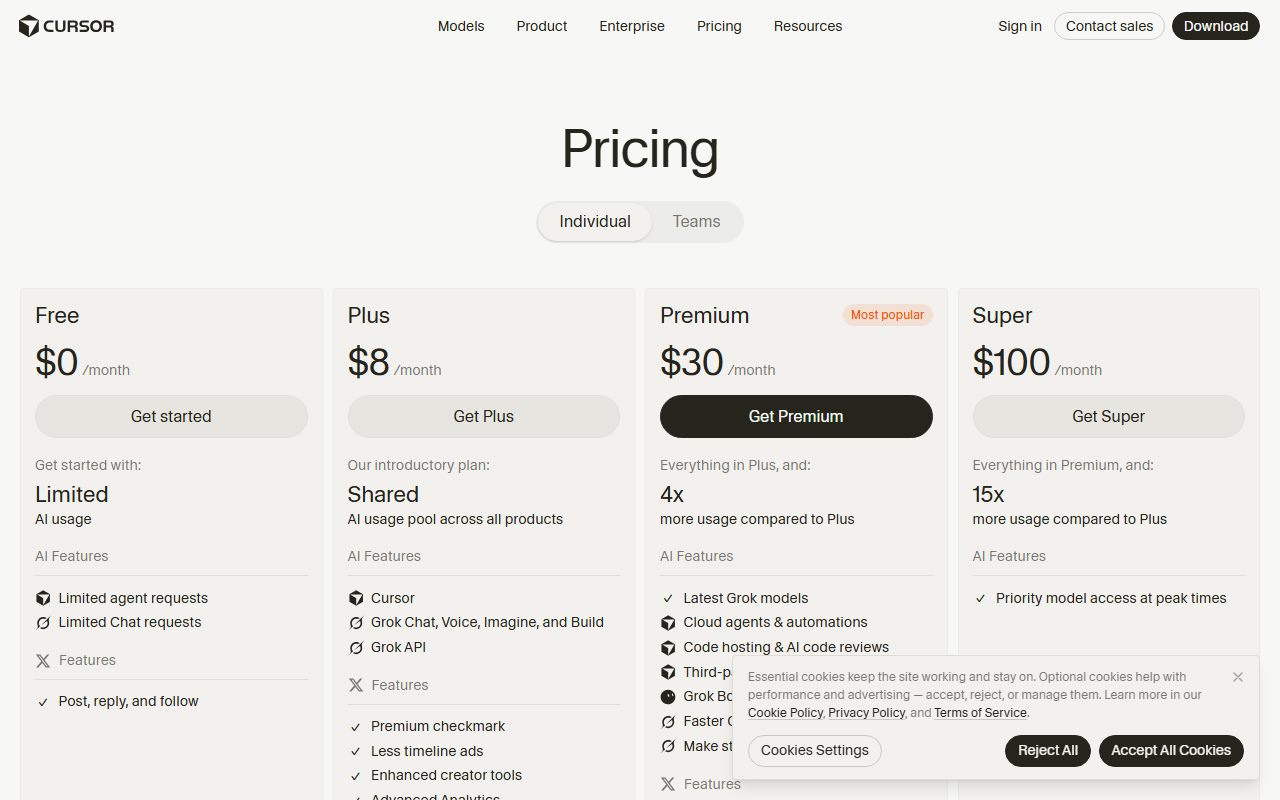
Cursor's version is simpler and has the same effect on procurement. On its pricing page, Invoice and purchase order billing was marked in the Enterprise column only on October 24, 2026.
A finance department that cannot pay by card is therefore pushed to the top tier by its own payment process, independently of how many people will use the tool.
Why vendors draw the line here
Because a seat count is the one fact about a customer that is both easy to verify and hard to shrink. Features can be argued about in a renewal. Headcount cannot.
It also sorts customers by ability to pay without naming a discount. A 300-seat ceiling routes every larger organisation into a sales conversation, which is where custom pricing lives.
And it makes the unit of billing a person, which is the assumption examined in what a seat means when the worker is software. An assistant that works like three people still occupies one seat.
The arithmetic to do before choosing
- Your headcount in eighteen months, not today. A 300-user ceiling is a migration scheduled by your recruiting plan.
- The floor times twelve. A twenty seat minimum at $20 per seat per month is $4,800 a year in seat fees alone, before usage.
- Who actually needs an account. Ceilings count provisioned licences, which includes the dormant ones nobody deactivated.
- Which features carry their own thresholds. A plan can be correct and still too small, as Google's 500-licence footnote shows.
- How you are allowed to pay. Annual billing and invoice-only billing are seat decisions dressed as finance decisions.
What follows in practice
Read the seat range before the feature grid. If the range excludes you, the grid is decoration, and the only real question is what the next tier costs at your real headcount.
Then count provisioned licences rather than active users, because that is the number the ceiling measures. Deactivating leavers is a pricing activity, not just hygiene.
The logic of a familiar number that does not mean what it appears to is the same one set out in unlimited is a pricing word, and the trial-stage version in the free tier is a research budget.
Current plan and price detail, with the date each figure was read, sits in our primer on AI assistant pricing for small teams.
Subject pages for the products named here: Claude, ChatGPT and Cursor, with the two consumer plans compared in ChatGPT versus Claude.
A feature table tells you what a plan does. A seat range tells you whether you are allowed to buy it. The second sentence is shorter and it decides first.
Sources, read against the live page markup on October 24, 2026: claude.com pricing page; knowledge.workspace.google.com Business and Enterprise edition comparisons; microsoft.com Microsoft 365 business plan comparison; docs.github.com GitHub Premium Support; cursor.com pricing page.
Sources
- Claude pricing (Team plan for teams of 2 to 150, standard and premium seat prices, Enterprise at US$20 per seat per month with a 20 seat minimum) - checked October 24, 2026
- Compare Business editions, Google Workspace Help (1-300 users row across Business Starter, Standard and Plus) - checked October 24, 2026
- Compare Enterprise editions, Google Workspace Help (Number of users: Any number; 500 user licence requirement for third-party Cloud Search) - checked October 24, 2026
- Compare all Microsoft 365 business products (300-user design limit, 250 plus 50 worked example, tenant limit of 300 provisioned licences) - checked October 24, 2026
- About GitHub Premium Support, GitHub Docs (members with support entitlements: 20 on Premium, 40 on Premium Plus) - checked October 24, 2026
- Cursor pricing (Invoice and purchase order billing marked in the Enterprise column only) - checked October 24, 2026