 Talk
Talk
Cursor
An editor built around the agent rather than the keystroke, sold on a $20 individual plan and a $40 team seat whose included usage the vendor does not state.
Scored on the published rubric, from documentation, pricing and verified user reports.
Best for: Small teams of experienced developers who delegate whole tasks to an agent, can absorb a variable monthly bill, and will turn on privacy mode before writing a line.
Verdict
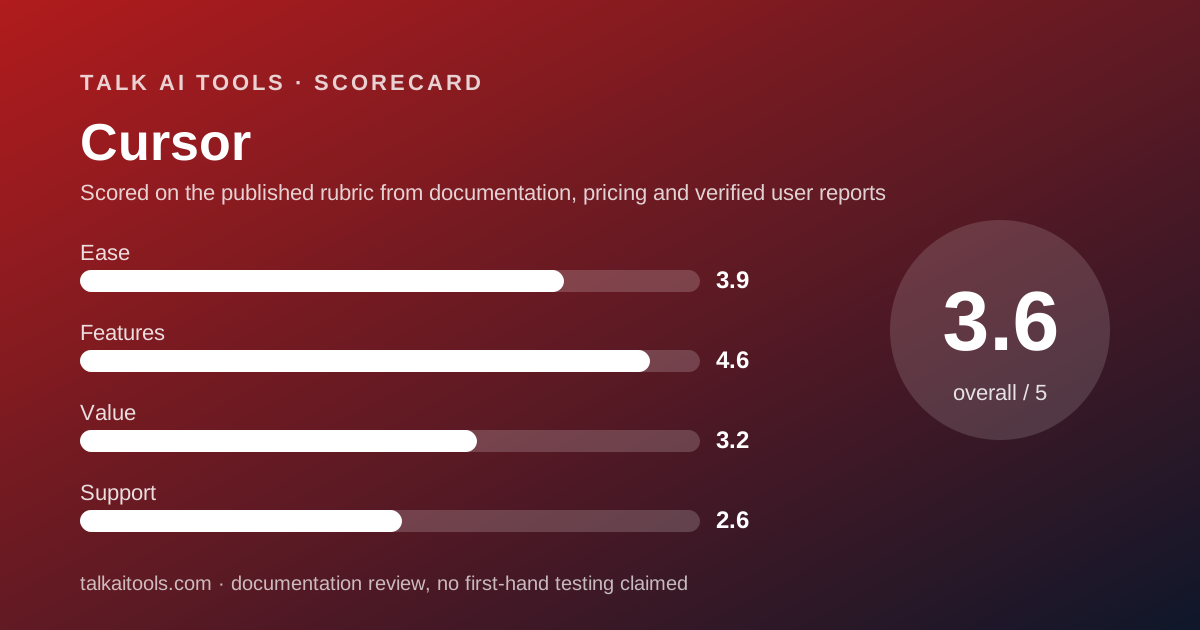
Cursor is the coding tool for a team that has already decided the agent is the product and the editor is its cockpit. This is a documentation review: everything here comes from Cursor's pricing page, its pricing documentation, its Teams setup documentation, its security page, its privacy overview and Trustpilot as read on October 10, 2026, not from running the product. On features Cursor is the most complete tool in this cluster: agent, cloud agents, Bugbot code review, MCP servers, skills and hooks, a model router with three cost modes, and team-wide privacy mode with SAML SSO on Teams. On pricing it is the least legible. Pro is $20 a month, Pro Plus $60, Ultra $200, Teams Standard $40 per user and Teams Premium $120, but the vendor publishes no dollar or request amount of included usage for any of them. Its own docs say daily agent users typically spend $60 to $100 a month in total and power users $200 or more. Trustpilot shows 1.5 from 342 reviews, dominated by billing complaints. Cursor earns 3.6 overall: highest here on features, lowest on value and support.
Visit Cursor
We have no affiliate relationship with this vendor. Link goes to the official site.
Where it is strong
- Deepest agentic feature set in the cluster: agent, cloud agents, Bugbot code review, MCP servers, skills and hooks, automations with shared team context, per the pricing page checked October 10, 2026
- Privacy mode is documented clearly: with it on, customer data is not used for training and model providers hold zero-data-retention agreements, per the privacy overview
- Teams plan is self-serve from one paid member with SAML and OIDC SSO, team-wide privacy mode, usage analytics and per-active-user billing
- SOC 2 Type II attestation stated on the security page
- Hobby plan is free with no card, including limited agent requests and Composer access
Where it falls short
- No plan publishes an included usage amount in dollars or requests; the pricing documentation gives none for Pro, Pro Plus, Ultra or Teams
- On-demand usage continues automatically after included usage and is billed in arrears, with no overage rate published on the pricing page
- Trustpilot shows 1.5 from 342 reviews as of October 10, 2026, with unexpected charges, plan changes after purchase and automated support the main themes
- No annual prices are shown despite a monthly and yearly toggle on the pricing page
- With privacy mode off, the privacy overview says Cursor may use and store codebase data, prompts, editor actions and code snippets to train its models
What this subject page is, and is not
This page grades Cursor on what Anysphere publishes: the pricing page, the pricing and Teams documentation, the security page, the privacy overview and the privacy policy, plus Trustpilot, all read on October 10, 2026. We did not run Cursor to produce it.
Cursor is the tool most often named in the essays on this site when the argument is about delegation rather than autocomplete. This page is the reference those essays lean on, and its central finding is simple: the features are the best documented in the category and the prices are the worst.
Where the vendor does not publish a number, this page says so rather than estimating. That happens more often here than on any other subject page we have written.
What Cursor actually is
Cursor is a code editor, a fork of VS Code, with an AI agent built into its core rather than bolted on as an extension. You open a project, describe a change, and the agent edits files, runs commands and reports back. Completions exist but are not the point.
That is the inverse of GitHub Copilot, which started as a completion engine inside other editors and added agents later. Cursor started as an agent cockpit and kept the editor because developers need somewhere to read the result.
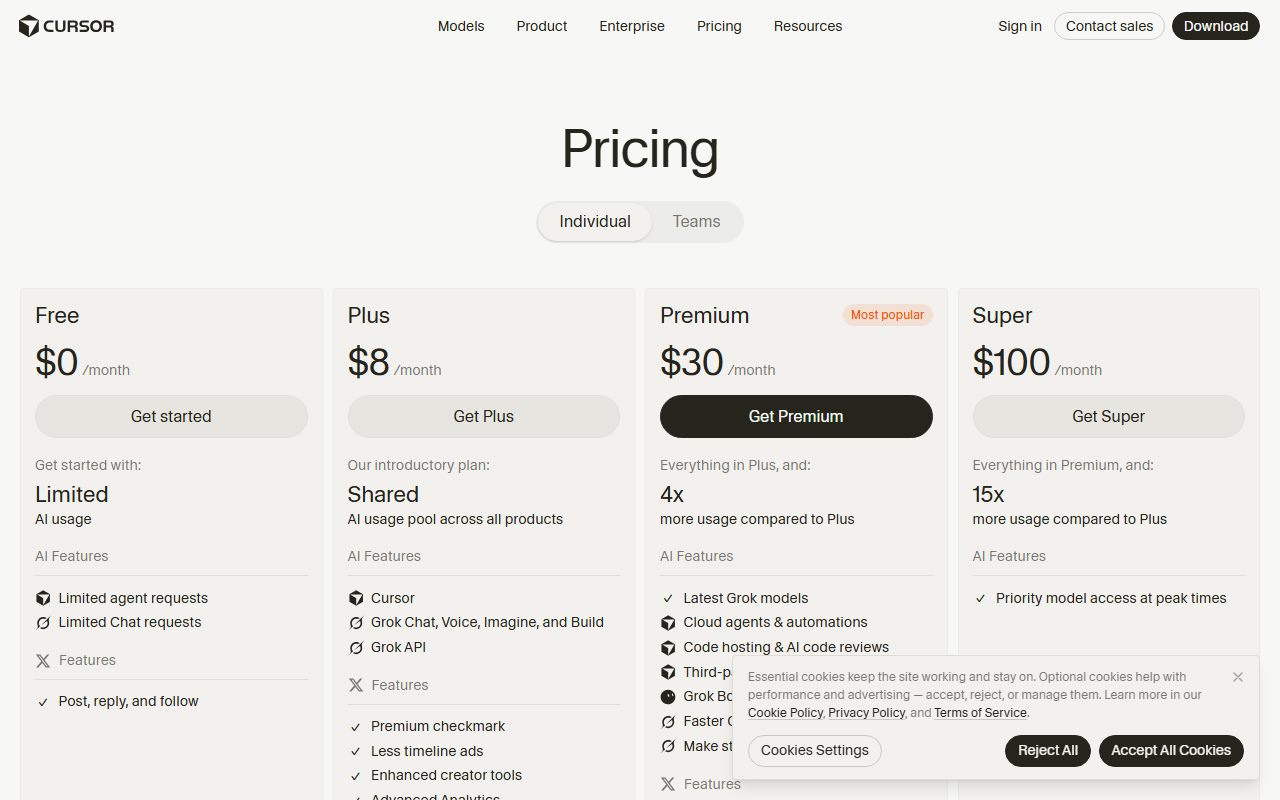
The 2026 pricing page checked October 10 lists the pieces: agent, Composer, cloud agents that run away from your machine, Bugbot for code review, MCP servers, skills and hooks, automations with shared team context, and a model router called Auto with Cost, Balance and Intelligence modes.
The commercial model is a subscription that includes an unstated amount of usage, followed by on-demand usage billed in arrears at model list prices. The pricing documentation says plainly that daily agent users typically spend $60 to $100 a month in total and power users $200 or more. The sticker price is where the bill starts, not where it ends.
Who Cursor is best for
Cursor suits teams that have changed how they work, not teams deciding whether to.
- Senior developers who delegate whole tasks and review diffs rather than type them.
- Small teams that already run on VS Code and lose nothing by switching to a fork of it.
- Companies that will enforce privacy mode and want SSO without an enterprise contract.
- Teams that use many models and want a router that picks per request.
- Buyers who can tolerate a variable bill in exchange for the deepest feature set.
Who should skip it
Any team that needs to know the monthly number before the month starts. The pricing documentation gives no included usage for any plan, no overage rate on the pricing page, and a self-reported typical spend three to five times the Pro sticker. A finance lead cannot budget that from the vendor's pages alone.
Any team on JetBrains, Neovim or Visual Studio. Cursor is an editor, and adopting it means leaving yours. Copilot and Kiro both meet developers closer to where they are.
And any buyer for whom public reputation is part of due diligence. A 1.5 Trustpilot score from 342 reviews, with 79 percent one-star and billing the dominant theme, is a fact about the purchasing experience even if it says little about the editor.
What the free tier includes (as of October 2026)
Hobby is free with no credit card required. The pricing page checked October 10, 2026 says it includes limited agent requests and access to Composer. That is the whole published description.
The vendor does not publish how many agent requests Hobby allows, how the limit resets, or what happens when it is reached. Earlier versions of Cursor's pricing listed numbers; the current page does not, and we will not quote figures the page has removed.
In plain terms, Hobby is a demonstration of the editor with an unknown fuse. It is enough to learn the interface and not enough to plan around. There is also a Start plan at 649 rupees a month available only in India, per the pricing documentation.
What sits behind the paywall
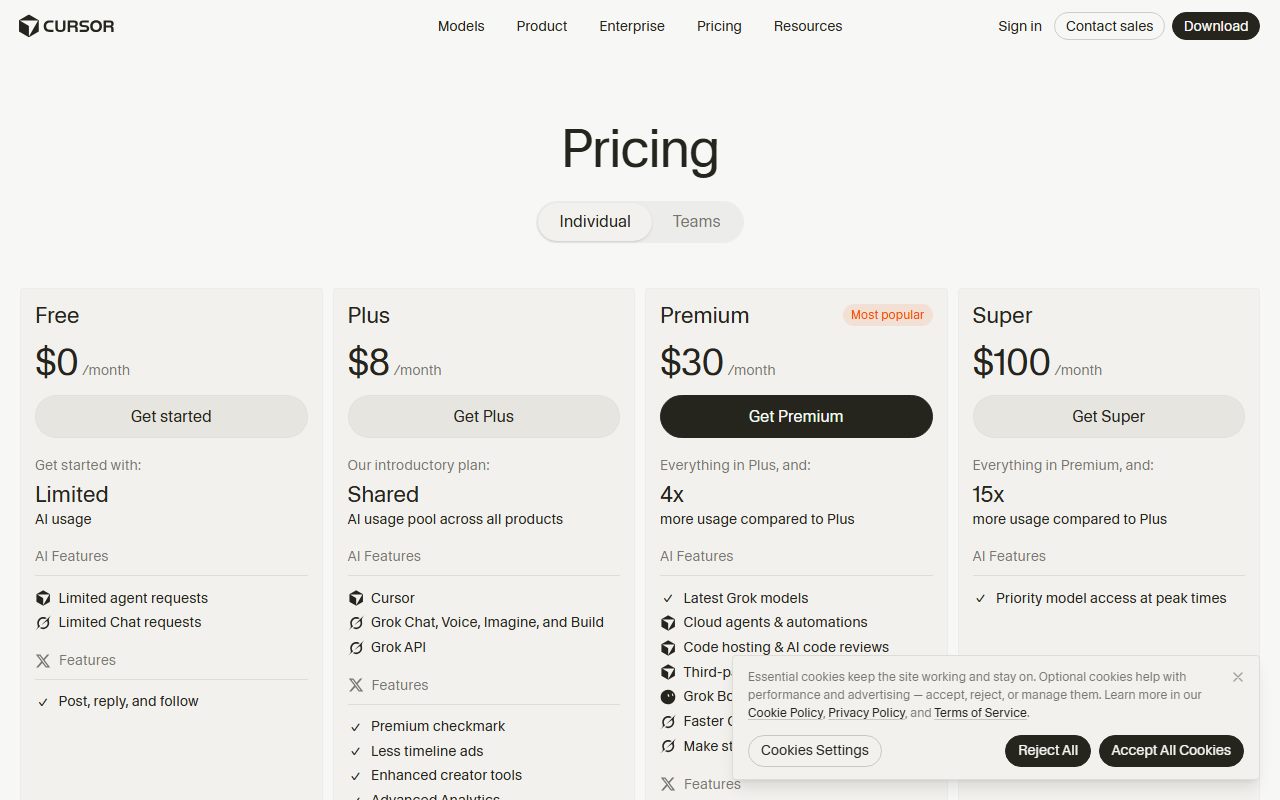
Pro at $20 a month is the individual tier. The pricing page lists everything in Hobby plus extended agent limits, generous limits on the vendor's own models, access to frontier models, MCP servers, skills and hooks, cloud agents, and Bugbot on usage-based billing. The pricing documentation describes Pro, Pro Plus and Ultra as including extended agent usage limits on all models and nothing more specific.
Pro Plus is $60 and Ultra is $200, per the pricing documentation. The pricing page groups all three under one $20 heading and gives no separate feature list, so the only published difference is the size of an included allowance whose size is not published.
Teams Standard is $40 per user per month and Teams Premium $120. Premium adds five times the Standard agent limits, per the pricing documentation. Teams adds centralised billing and administration, a team marketplace for rules, skills and plugins, cloud agents and automations with shared team context, agentic code review with Bugbot, usage analytics, team-wide privacy mode and SAML or OIDC SSO.
Enterprise is custom-priced and adds pooled usage, invoice and purchase-order billing, SCIM, repository, model and MCP access controls, auto-run, browser and network controls, audit logs, service accounts, an AI code tracking API and priority support with account management.
The pricing page has a monthly and yearly toggle but shows no yearly prices as of October 10, 2026. Whether an annual discount exists is not something the page tells you.
How the pricing is structured for a company
The unit is the active user, not the seat. The Teams documentation says Cursor bills per active user, prorates members added mid-cycle, and lets removed members who used credits keep access until the cycle ends. A team needs at least one paid member; an admin can hold an unpaid admin role to manage the team without a licence.
For ten developers on Standard, that is $400 a month, $4,800 a year, by our arithmetic from the pricing page checked October 10, 2026. Twenty is $800 a month, $9,600 a year. Those figures are the floor.
Above the floor sits on-demand usage. The pricing documentation says it is billed monthly at the same rates as the included pools, meaning each model's API list price, and that requests are never downgraded in quality or speed. Auto's three modes all bill at the list price of whichever model the request is routed to.
On Teams and Enterprise a router picks the model per request according to the mode. Third-party models routed by Auto also incur a $0.25 per million tokens Cursor Token Rate.
The pricing page says on-demand usage continues after the included amount and is billed in arrears. It does not say it is off by default, and Trustpilot reviewers repeatedly describe being billed for on-demand usage they believed was disabled. We cannot verify those accounts; we can say the published pages do not resolve the question.
The practical consequence: a ten-person team on Standard should budget somewhere between $4,800 and, using the vendor's own $60 to $100 per daily user estimate, $7,200 to $12,000 a year. That spread is the cost of the missing number. What a seat means when the worker is software is our longer argument about why this spread is the new normal; Cursor is its clearest example.
Ease of use: what the 3.9 is built from
Starting is easy. Hobby needs no card, the editor imports VS Code settings and extensions by design, and Teams is self-serve from one paid member with domain-matched joining for colleagues, per the Teams documentation checked October 10, 2026.
Staying oriented is harder. The pricing page groups three individual plans under one price, the documentation adds a fourth plan for one country, and the usage model requires understanding pools, Auto modes, a per-token surcharge and arrears billing. Trustpilot reviewers describe limits running out faster after plan changes and accounts locked when payments fail.
Switching editors is the hidden cost. For a VS Code team it is small; for anyone else it is a migration. The claim that you can always switch covers why the exit from an editor is longer than the entrance.
Features: what the 4.6 is built from
On features Cursor leads this cluster and it is not close. The pricing page checked October 10, 2026 lists an agent, Composer, cloud agents, Bugbot code review, MCP servers, skills, hooks, automations with shared team context and a team marketplace for internal rules and plugins. The pricing documentation adds a model router with three optimisation modes and a per-request model picker on Teams and Enterprise.
The governance layer is better than its reputation. Team-wide privacy mode and SAML or OIDC SSO are on the $40 Teams plan, not held for Enterprise. Enterprise adds SCIM, audit logs, access controls down to the MCP server and network level, and an AI code tracking API, which is a more granular control set than Copilot's documented Business features.
We withheld the last fraction for two reasons. Max Mode, the extended-context feature, is available only on legacy request-based plans, per the pricing documentation, so new subscribers do not get it. And the features that distinguish Pro Plus and Ultra from Pro are not described at all beyond allowance size.
Cursor's features are the reason to consider it. Everything else on this page is the reason to consider carefully.
Value: what the 3.2 is built from
Value is where the missing number bites. A $20 Pro plan whose included usage is unstated, with the vendor's own typical-spend estimate at $60 to $100, is not a $20 plan. A $40 Teams seat with the same gap is not a $40 seat.
Against GitHub Copilot Business at $19 with 1,900 credits and a one-cent overage, or Kiro Pro at $20 with 1,000 credits and four-cent add-ons, Cursor is the only tool in this cluster that cannot be put in a spreadsheet from its pricing page.
We score value at 3.2 rather than lower because the feature set is real and the floor price is competitive. A team that uses the agent heavily may well get more per dollar than on either rival. The point is that it cannot know in advance, and the vendor has chosen not to tell it.
Unlimited is a pricing word argues that an unstated limit is a limit the vendor controls. Cursor's pricing page is a worked example: the words are extended and generous, and the numbers are absent.
Support: what the 2.6 is built from
The pricing page lists priority support with account management on Enterprise and nothing specific for Hobby, Pro or Teams. No response times are published for any plan. The Teams documentation covers setup, not help.
Trustpilot, checked October 10, 2026, shows 1.5 from 342 reviews, 250 of them in the last twelve months, with 79 percent one-star and 9 percent five-star. Reviewers describe AI-driven support that is hard to get past, slow or absent human review, and inconsistent answers, alongside the billing themes. Trustpilot notes the profile is unclaimed and the company has not invited reviews, which skews a sample toward the aggrieved.
We weigh that heavily but not totally: an unclaimed listing of a developer tool is a poor sample of its users. Still, the vendor publishes nothing that contradicts it. Support scores 2.6, the lowest on this site.
What users report
Trustpilot's 342 reviews as of October 10, 2026 split 79 percent one-star, 7 percent two-star, 3 percent three-star, 2 percent four-star and 9 percent five-star, for a TrustScore of 1.5.
The complaints are commercial first: unexpected charges, auto-renewals, on-demand usage billed after users believed it was disabled, disputed refunds, plans changed after purchase, and limits that run out faster than before. Then operational: sudden lockouts when payments fail, accounts blocked for unspecified policy violations. Then product: agents ignoring instructions, degraded model performance, slowness, lost chats.
The praise, from the minority, is that the tool is fast and productive for daily development and that output quality is strong. A few report responsive support.
Trustpilot does not fact-check reviews, the profile is unclaimed, and we did not read G2 for this page. The pattern is consistent with the pricing pages' gaps, which is why we report it rather than dismiss it.
Limits stated by the vendor
Almost none, numerically. The pricing page and pricing documentation checked October 10, 2026 state no request counts, no dollar allowances and no overage rate. The published limits are structural: Hobby has limited agent requests; Teams Premium has five times Standard's agent limits; Max Mode is legacy-only; purchases must be made on cursor.com, with the page warning that reseller purchases may be suspended.
The pricing documentation does state that both usage pools reset with the monthly billing cycle, that on-demand usage is billed at the same rates, and that Auto routes through third-party models carry the $0.25 per million token surcharge. The vendor does not publish what fraction of a typical month those pools cover.
Privacy and data use
This is Cursor's strongest documentation. The privacy overview, checked October 10, 2026, says that with privacy mode on, customer data will not be used for training by Cursor, that the company has zero-data-retention agreements with all providers so that AI model providers will not store or train on your data, and that file contents cached briefly on Cursor's servers are never permanently stored and never used as training data. Non-ZDR models are labelled or require an admin opt-in.
With privacy mode off, the same page says Cursor may use and store codebase data, prompts, editor actions and code snippets to improve its AI features and train its models, and that some inference providers may temporarily store inputs and outputs, deleted after use.
The privacy policy adds that Anysphere does not use inputs or suggestions to train its models or permit third parties to, with exceptions for items flagged for security review, items you report as feedback, and items you explicitly agree may be used. Retention is described as only as long as necessary, with no periods given.
Two cautions. The pages do not say whether privacy mode is on by default for Teams, only that admins can enable it team-wide and new members inherit the setting. And using your own API key does not bypass Cursor's backend; requests still go through it.
Set the team-wide switch before the first invite. Who reads what you type is the general argument; Cursor is a case where the vendor has written the answer down, and the buyer has to flip the switch.
Alternatives
GitHub Copilot. Choose Copilot if your code lives on GitHub, you want a $19 seat with 1,900 credits and a one-cent overage, and your developers will not change editors. Otherwise choose Cursor if the agent is your workflow and you can budget for variance. The full comparison is Cursor vs GitHub Copilot.
Kiro. Choose Kiro if you want a VS Code-compatible editor with a published credit count ($20 for 1,000 credits, $0.04 per add-on credit) and spec-driven development, and if buying through AWS at the enterprise tier suits you. Otherwise choose Cursor for the broader agent toolset and the self-serve SSO.
A general assistant. For occasional coding, a general assistant such as Claude at $20 a seat, with its own command-line coding tool included on paid plans, may cover the need without a second subscription; our pricing primer sets out the numbers. All three coding tools are ranked in the best AI coding assistants for small teams.
Bottom line
Cursor is the most capable coding tool in this cluster and the hardest to buy responsibly. The features, the governance on Teams and the privacy documentation are all first-rate. The pricing pages omit the one figure a buyer needs, the vendor's own estimate puts real spend at three to five times the sticker, and the public record of the billing experience is poor.
Buy it if your team already works through agents, set the budget from the vendor's $60 to $100 per user estimate rather than the $20 or $40 price, and turn on team-wide privacy mode before the first invite. Do not buy it to find out whether agentic development suits you; use Copilot's free plan or Kiro's 50 free credits for that.
This is a documentation review built from Cursor's pages and Trustpilot as of October 10, 2026. Prices and terms may have changed since.
Visit Cursor
We have no affiliate relationship with this vendor. Link goes to the official site.