 Talk

ChatGPT
The assistant most small companies already have, whose real price is set by how much of it each person uses.
Scored on the published rubric, from documentation, pricing and verified user reports.
Best for: Small teams that want one general assistant for writing, research, spreadsheets and light coding, and are willing to read the usage fine print.
Verdict
ChatGPT is the assistant a small company is most likely to already be paying for, often several times over on personal cards. This is a documentation review: every claim below comes from OpenAI's pricing page, help center and enterprise privacy page as read on October 10, 2026, not from running the product. On those documents ChatGPT earns its place as the default. The free plan lists unlimited everyday text chat subject to abuse guardrails, which no close rival matches. The Business plan costs $20 per seat per month billed annually or $25 monthly from two seats, turns off training on company data by default, and gives an admin the ability to see and delete staff conversations. The weak points are the ones a small team feels last: no annual billing for individual plans, support that the comparison table marks as absent below Enterprise, and a usage model that has quietly split into Standard and Premium seats, so the headline price is a floor rather than a budget.
Visit ChatGPT
We have no affiliate relationship with this vendor. Link goes to the official site.
Where it is strong
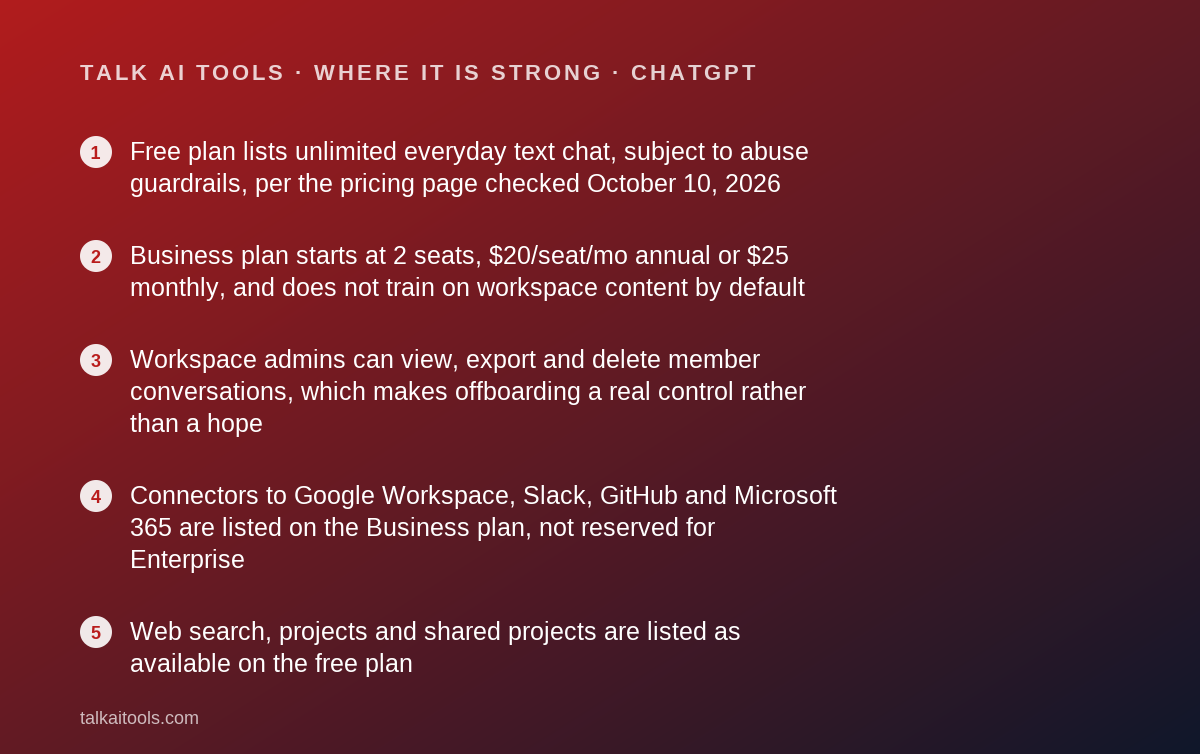
- Free plan lists unlimited everyday text chat, subject to abuse guardrails, per the pricing page checked October 10, 2026
- Business plan starts at 2 seats, $20/seat/mo annual or $25 monthly, and does not train on workspace content by default
- Workspace admins can view, export and delete member conversations, which makes offboarding a real control rather than a hope
- Connectors to Google Workspace, Slack, GitHub and Microsoft 365 are listed on the Business plan, not reserved for Enterprise
- Web search, projects and shared projects are listed as available on the free plan
Where it falls short
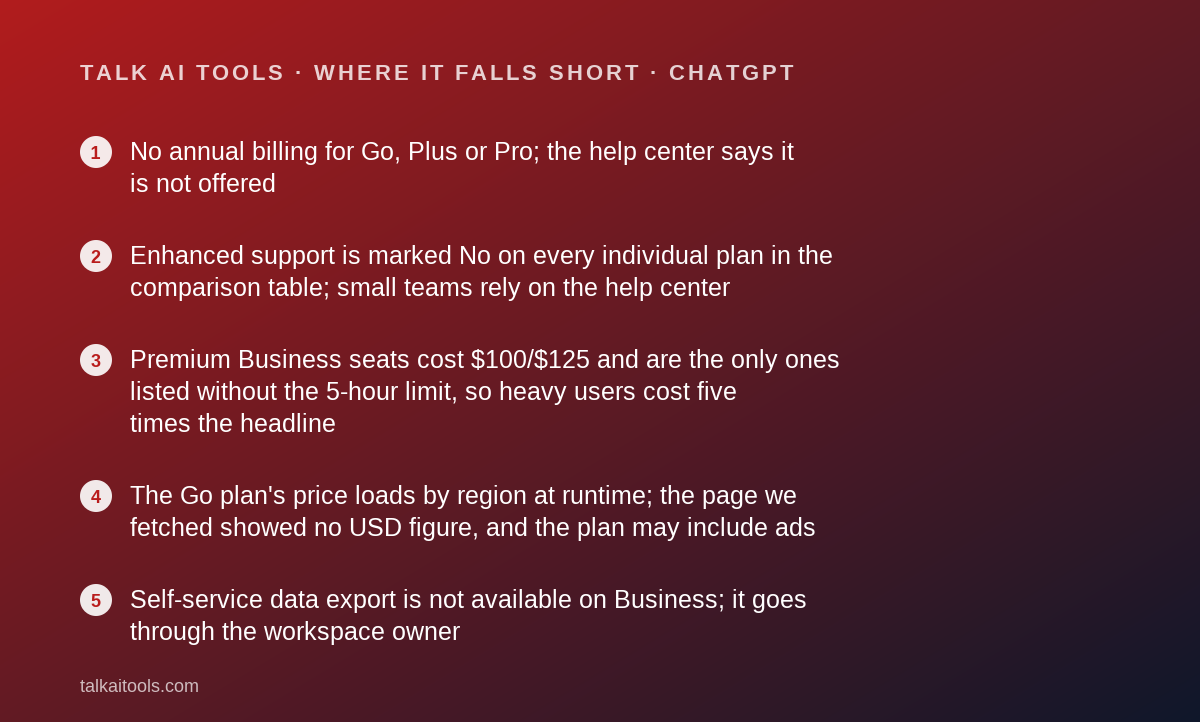
- No annual billing for Go, Plus or Pro; the help center says it is not offered
- Enhanced support is marked No on every individual plan in the comparison table; small teams rely on the help center
- Premium Business seats cost $100/$125 and are the only ones listed without the 5-hour limit, so heavy users cost five times the headline
- The Go plan's price loads by region at runtime; the page we fetched showed no USD figure, and the plan may include ads
- Self-service data export is not available on Business; it goes through the workspace owner
At a glance
| Starting price | Free; Business $20/seat/mo billed annually, $25 monthly |
|---|---|
| Pricing note | Business from $20/seat/mo billed annually, $25 monthly, minimum 2 seats (pricing page, checked October 10, 2026) |
| Free plan | Yes - unlimited everyday text chat subject to abuse guardrails; limited uploads, images, voice, deep research |
| Seat minimum | Business: 2 seats (pricing page FAQ); range stated as 2 to 200 employees |
| Annual billing | Business and Enterprise only; not offered for Go, Plus or Pro |
| Training on your data | Consumer plans: on unless you turn off 'Improve the model for everyone'. Business and Enterprise: off by default |
| Context window | GPT Instant 27K Free, 54K Go/Plus/Business, 128K Pro/Enterprise (pricing page table) |
| Support channels | Help center; enhanced support and dedicated onboarding listed only for Enterprise |
| Compliance | SOC 2 Type 2 for Business per the enterprise privacy page; SAML SSO and MFA on Business |
What this subject page is, and is not
This is a documentation review. We read OpenAI's pricing page, its business pricing page, five help center articles and the enterprise privacy page on October 10, 2026, and graded what they say. We did not run ChatGPT for this page. The cost of that method is that we cannot tell you how a response feels; the benefit is that everything here is checkable against a page you can open.
The other subject page in this cluster, Claude, was graded the same way on the same day, and the two are set against each other in ChatGPT vs Claude.
What ChatGPT actually is
ChatGPT is a subscription front end to OpenAI's models, sold in two families that do not share billing: individual plans (Free, Go, Plus, Pro) charged to one person, and workspace plans (Business, Enterprise) charged per seat to a company. The product is the same chat window; what changes is who owns the data, who can see it, and how much of the model each person may consume.
That split matters for a small company more than any feature. A team of eight on personal Plus accounts is eight unrelated customers with eight privacy settings. The same eight on Business is one customer with one admin console. The pricing page, read on October 10, 2026, lists the plans in that order and it is the right order to think in.
Who ChatGPT is best for
On the documentation, ChatGPT suits these people best:
- The owner-operator who wants one tool for email drafts, contract summaries and spreadsheet questions, and will mostly use plain chat, which the free and Business plans do not meter beyond abuse guardrails.
- A two-to-ten person team that has already standardised on Google Workspace, Slack or Microsoft 365, since those connectors are listed on Business rather than held back for Enterprise.
- A manager who must be able to offboard: Business admins can view, export and delete member conversations, per the enterprise privacy FAQ.
- One or two heavy users inside an otherwise light team, who can sit on Premium seats while everyone else stays on Standard.
- Anyone who needs web search on a free account, which the search help article lists as available even when signed out.
Who should skip it
Three groups should look elsewhere first. Individuals who want to pay once a year, because OpenAI states it does not offer annual billing on Go, Plus or Pro. Companies that need audit logs, SCIM or custom retention without a sales call, because those sit on Enterprise at custom pricing. And teams that expect a named support channel at the $20 tier, because the comparison table marks enhanced support as No on every plan below Enterprise.
If predictable annual terms and cleaner commercial defaults matter more than breadth, read the Claude subject page, where Pro is listed at $17 a month billed annually.
What the free tier includes (as of October 2026)
The pricing page, checked October 10, 2026, lists the free plan as unlimited text chats with GPT-6, with a footnote that unlimited is subject to abuse guardrails. It then lists as limited: messages with uploads, image creation, voice chats, deep research, memory and context, Codex access, and ChatGPT Work access on desktop.
The comparison table adds numbers where the plan cards do not. The GPT Instant total context window on Free is 27K, roughly 12 pages of input text by OpenAI's own estimate. Projects, shared projects, web search, plugins, the built-in browser and the Skills beta are all marked Yes on Free. Scheduled tasks and Sites are marked No.
We have written elsewhere about what that first word is doing on a pricing page; see Unlimited is a pricing word. The honest reading here is that conversation is free and everything that consumes more compute than conversation is rationed.
What sits behind the paywall
Go is the step above Free. The help center article, updated in October 2026, lists more messages with tools, more uploads, more image creation, longer memory, and access to projects, tasks and custom GPTs. The same article says OpenAI may start testing ads in Go. The price loads by region at runtime; the page we fetched returned no USD figure for Go, so we do not print one.
Plus is $20 a month billed monthly, per the help center. The pricing page adds advanced reasoning models, expanded deep research, projects, scheduled tasks, custom GPTs, expanded Codex usage and a 54K Instant context window, with a 256K window for reasoning models.
Pro is sold in three monthly tiers: Pro 100 at $100, Pro 200 at $200 and Pro 500 at $500, per the Pro tiers article updated in October 2026. The pricing page lists a 128K Instant window, unlimited image creation subject to abuse guardrails, and an always-on agent called Dot. Only Pro 500 includes the Ultrafast variants.
How the pricing is structured for a company
Business is the plan a small company should actually be comparing. The business pricing page, checked October 10, 2026, lists a Standard seat at $20 per month billed annually or $25 billed monthly, and a Premium seat at $100 annually or $125 monthly. Premium is described as five times the usage of Standard, with no 5-hour limit. The page says the plan is for teams of 2 to 200 employees, and the pricing FAQ confirms Business starts at 2 users.
Included on Business: all ChatGPT, ChatGPT Work and Codex features; access on desktop, web and mobile; connectors to Google Workspace, Slack, GitHub and Microsoft 365; SAML SSO and MFA; central billing; usage analytics and spend controls; workspace agents; and no training on business data by default. Seat types can be mixed.
For a team of ten on Standard seats, the arithmetic is 10 x $20 x 12, or $2,400 a year billed annually, against 10 x $25, or $250 a month and $3,000 a year on monthly billing. That is an editorial calculation from the listed prices, not a quote. Put two of those ten on Premium annual seats and the yearly figure becomes $4,320.
Enterprise has no listed price. The business pricing page says to contact sales and lists SCIM, customer-managed keys, data residency in ten regions, custom retention, 24/7 priority support and invoicing. The Enterprise help article adds that Codex-only seats on credit-based agreements have no fixed monthly cost and are billed on usage.
For how to read all of this against a rival's page, the primer on AI assistant pricing for small teams walks through the same arithmetic for both vendors.
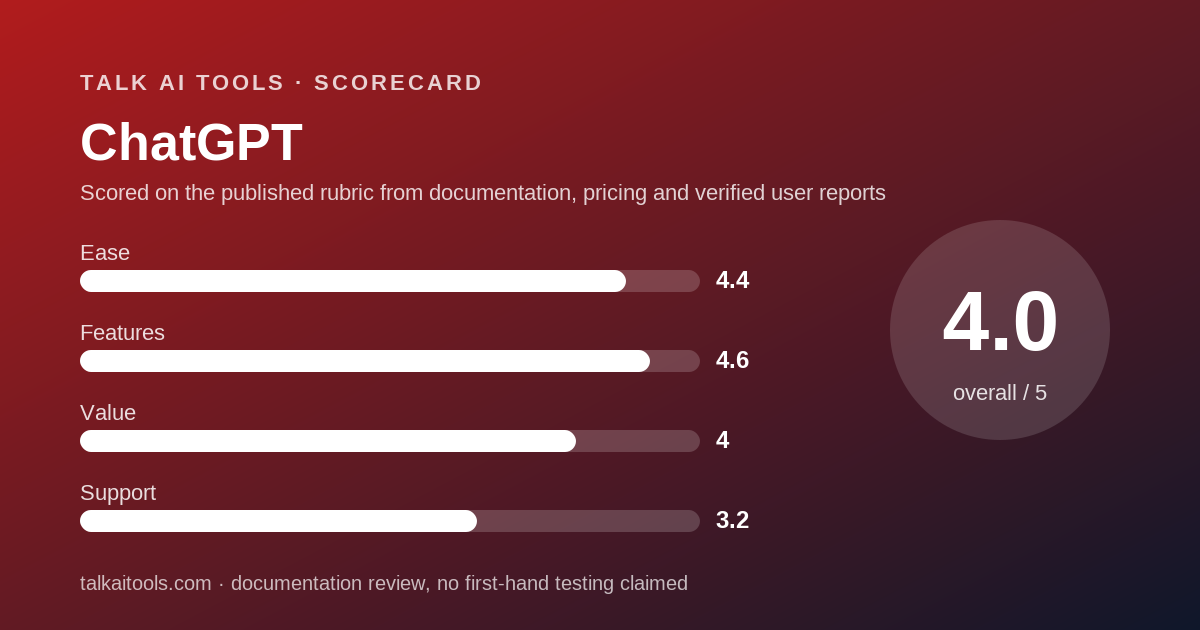
Ease of use: what the 4.4 is built from
The score rests on three documented facts. First, there is nothing to install for the core product: web, iOS and Android are listed on every plan. Second, the free plan does not meter plain conversation, so a new user is not taught the product by hitting a wall. Third, the Business plan is self-serve from two seats on a credit card, with no sales call.
It loses ground for the plan ladder itself. Free, Go, Plus and three Pro tiers for one person, plus two seat types for a company, is a lot of doors to read before choosing one. The pricing page needs a footnote to explain that the usable context is smaller than the stated window because system instructions and memory take a share. That is candid, and also a sign the product has grown complicated.
Features: what the 4.6 is built from
Measured against the documentation alone, this is the broadest consumer assistant on the market. The comparison table lists web search, a built-in browser, projects, shared projects, data analysis, vision, voice, plugins, interactive apps, Skills, memory with past chats, and Codex, with most of them reaching at least Limited on the free plan.
On Business the list extends to workspace agents, team tasks on a schedule, shared Pages and Spaces, and app connections that an admin approves once for a whole team, per the Business release notes dated September and October 2026.
The score is not a 5 because breadth is measured by what is listed, not by how well any of it works, and a documentation review cannot test the second. It is also held back by the fact that the most interesting features (workspace agents, scheduled team tasks) are gated behind admin settings that are off by default, so a small team gets them only when somebody reads the console.
Value: what the 4.0 is built from
For plain conversation the value is hard to beat: it is listed as free. For a company, $20 a seat on an annual term is the same figure Anthropic lists for a Claude Team Standard seat, so neither vendor is undercutting the other at the entry point.
The score comes down for two reasons. Individuals cannot buy an annual term at all, which means a sole trader pays $240 a year for Plus where a Claude Pro annual subscriber pays $200. And the Standard seat carries a 5-hour limit that only the $100 Premium seat removes, which means the real cost of a heavy user is five times the headline. OpenAI's own page says this plainly; the point is that the $20 is a floor.
Support: what the 3.2 is built from
The comparison table on the pricing page lists Enhanced support, Dedicated onboarding and Ongoing account management as No for Free, Go, Plus and Pro. The business pricing page lists 24/7 priority support and SLAs only under Enterprise. What a Business customer gets is the help center and in-product support, which is also what a free user gets.
The help center itself is substantial and dated, which is why this score is not lower: the articles we read carry update stamps measured in days. But a documented support channel for a paying small team does not appear on the pages, and we grade what appears.
What users report
This page does not quote third-party review aggregators, whose averages pool students, developers and enterprises with the small teams this site writes for. Where a future edition cites user reports, they will be named, dated and about the Business plan specifically.
Limits stated by the vendor
The pricing page's footnotes are more informative than its plan cards. Usage must be reasonable and comply with OpenAI's policies. The reported context available for user input is an approximation that changes with the features in use and the memory stored. Business and Enterprise can buy credits for more access; individual plans cannot.
The Plus article says the plan may include message caps during high demand that vary with system conditions. No individual plan publishes a number of messages. The only plan that removes the 5-hour limit is the $100 Premium Business seat.
Privacy and data use
On personal plans, the data controls article is explicit: new conversations stop being used for training only after the user turns off Improve the model for everyone. Turning it off does not delete anything. Temporary chats are not used for training and may be kept for up to 30 days for safety.
On Business, Enterprise and Edu workspaces, the same article says OpenAI does not use content to train by default. The enterprise privacy page adds that workspace admins can view, access, export and delete member conversations, that deleted conversations are removed within 30 days unless law requires otherwise, and that Business has completed a SOC 2 Type 2 audit.
Two things follow for a small company. The first is that personal accounts used for work are a policy gap, not a cost saving. The second is that the admin's power to read staff chats is a feature for offboarding and a question for your staff handbook. We set out the wider argument in Who reads what you type.
Alternatives
Claude. Choose Claude if you want an annual discount on an individual plan ($17 a month billed annually versus no annual option here), if your team will lean on long documents and code, or if pooled monthly API credits on the Team plan would offset other spending. Otherwise choose ChatGPT if unmetered everyday chat on the free plan and the broadest connector list matter more. The full case is in ChatGPT vs Claude and the Claude subject page.
Staying on personal accounts. The alternative most small companies choose by default, cheaper only until someone leaves with their chat history. The primer on pricing explains why the workspace plan is the real comparison.
Frequently asked
- Is ChatGPT free for business use? The free plan is a personal account with no admin and training on by default; Business, from $20 a seat annual, turns training off by default.
- How much for a team of 10? 10 x $20 x 12 is $2,400 a year on Standard annual seats, or $250 a month billed monthly (editorial calculation, October 10, 2026).
- Does Plus have an annual plan? No; the help center says annual billing is not offered for Plus, Go or Pro.
- Does OpenAI train on what staff type? On personal plans, until Improve the model for everyone is turned off. On Business and Enterprise, not by default.
- Standard versus Premium seats? $20 or $25 against $100 or $125; Premium has five times the usage and no 5-hour limit. A workspace can mix both.
- Can I export from a Business workspace? Only through the workspace owner, who can export and delete conversations.
Bottom line
On its documentation, ChatGPT is the right default for a small company that wants one general assistant and has an administrator willing to read the console. The free plan is genuinely useful, the Business plan is honestly priced at the entry point, and the data terms on the workspace plans are clear.
The things to budget for are the things the plan cards underplay: no annual term for individuals, no documented support below Enterprise, and a $100 Premium seat waiting for anyone who turns out to be a heavy user. Buy it with those three facts written on the purchase order, and it will do what the page says. The essay What a seat means when the worker is software explains why that last fact is the one that will move.
Sources, all checked October 10, 2026: openai.com/chatgpt/pricing; openai.com/business/pricing; openai.com/enterprise-privacy; OpenAI help center articles on Plus, Pro tiers, Go, data controls and Business release notes. The Go price was not returned in our fetch because the page loads it by region at runtime.
Buy it if
- You want one assistant for everyone and most of the team will use plain chat, where the free and Business plans are not metered beyond abuse guardrails.
- You need an admin who can see and delete conversations when someone leaves; the Business plan documents that control.
- Your tools are Google Workspace, Slack or Microsoft 365 and you want connectors without an Enterprise contract.
- You can budget per person by appetite, putting two or three heavy users on Premium seats and the rest on Standard.
Skip it if
- You want an annual discount on an individual plan; OpenAI does not offer one, while Claude Pro lists $17/mo billed annually.
- You need audit logs, SCIM or custom retention on a self-serve plan; those sit on Enterprise with custom pricing.
- You expect a human support channel at the $20 tier; the comparison table lists none.
Frequently asked
Is ChatGPT free for business use?
The free plan can be used by anyone, but it is a personal account: by default conversations may be used for training unless the user turns that off, and no admin can see or delete them. The Business plan, from $20 per seat per month annual, turns training off by default (pricing page and data controls article, checked October 10, 2026).
How much does ChatGPT cost for a team of 10?
On Business Standard seats, 10 x $20 x 12 months is $2,400 a year billed annually, or 10 x $25 is $250 a month on monthly billing. That is an editorial calculation from the pricing page checked October 10, 2026; Premium seats at $100 or $125 change it quickly.
Does ChatGPT Plus have an annual plan?
No. The help center article on Plus, updated in October 2026, says annual billing and paying for multiple months in advance are not supported for Plus, Go or Pro. Only Business and Enterprise offer annual terms.
Does OpenAI train on what my staff type into ChatGPT?
On personal plans, yes by default: the data controls article says new conversations are not used only after 'Improve the model for everyone' is turned off. On Business, Enterprise and Edu workspaces, the same article says content is not used for training by default.
What is the difference between Standard and Premium Business seats?
Per the business pricing page checked October 10, 2026, Standard is $20 annual or $25 monthly; Premium is $100 annual or $125 monthly with five times the usage and no 5-hour limit. A workspace can mix both.
Can I get my data out of a ChatGPT Business workspace?
Not self-service. The data controls article says export is not available to Business or Enterprise members and must be directed to the workspace owner, who can export and delete conversations per the enterprise privacy FAQ.
Sources
- ChatGPT pricing (individual plans and comparison table) - checked October 10, 2026
- OpenAI business pricing (Business and Enterprise) - checked October 10, 2026
- What is ChatGPT Plus? (help center) - checked October 10, 2026
- About ChatGPT Pro tiers (help center) - checked October 10, 2026
- What is ChatGPT Go? (help center) - checked October 10, 2026
- Data controls in ChatGPT (help center) - checked October 10, 2026
- Enterprise privacy at OpenAI - checked October 10, 2026
- ChatGPT Business release notes (help center) - checked October 10, 2026
Update history
- October 10, 2026 - First edition, documentation review of pricing, help center and privacy pages.
Visit ChatGPT
We have no affiliate relationship with this vendor. Link goes to the official site.