 Talk
TalkThe audit log you only get on the top plan
An audit log is among the cheapest things in enterprise software to build and the most reliable thing to sell. It is a list of who did what, and almost every product already writes it. The question is which plan lets you read it.
Four vendor pages read on October 24, 2026 put it in the same place: the top of the price list, behind a second number nobody quotes, which is how long the log is kept.
The log is a plan feature, not a platform feature
Notion's help page is the plainest statement of the pattern. "The audit log feature is available to organization owners on the Enterprise Plan." Not to workspace members, not to Business customers, and not to anyone on Plus.
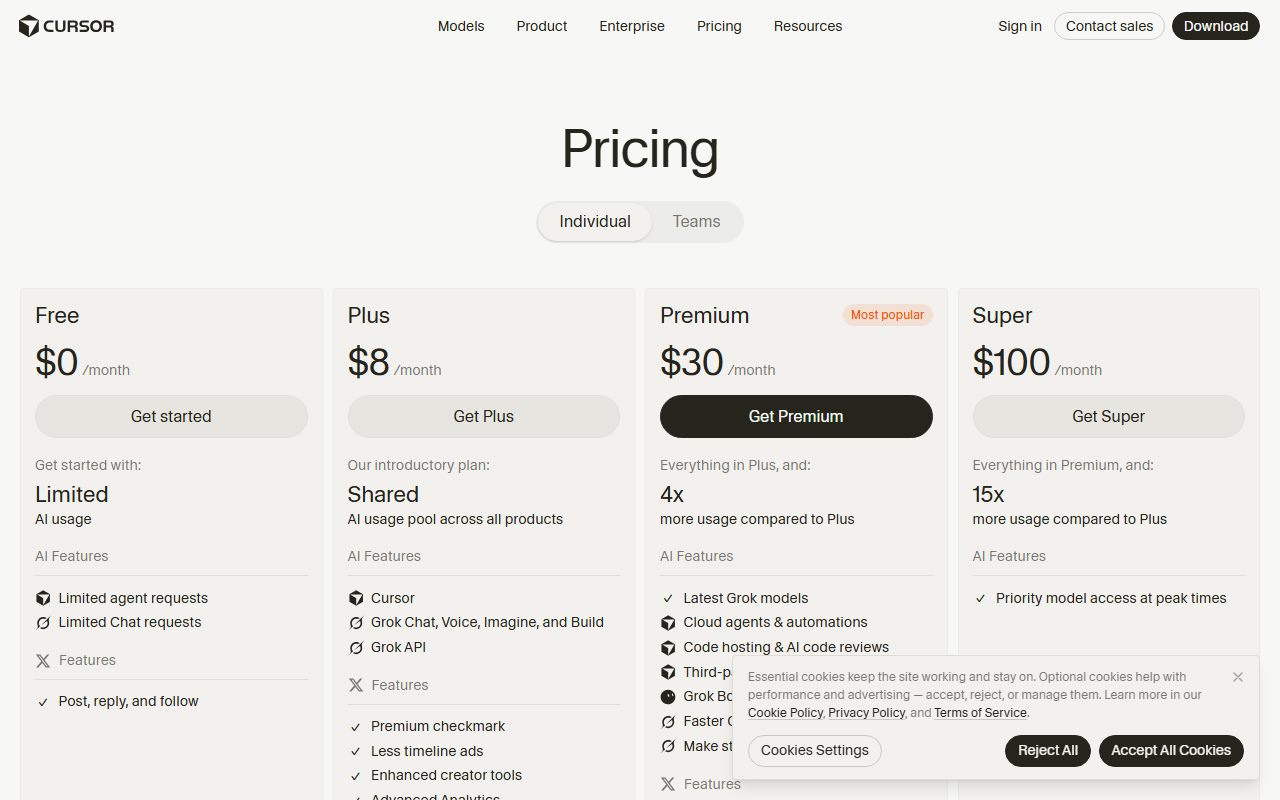
Cursor's pricing page makes the same split visible as a grid. Its comparison table ran seven columns on October 24, 2026.
They were Free, Plus at $8 a month, Premium at $30, Super at $100, Ultra at $200, Teams at $30 per user, and Enterprise at a custom price.
Six of those columns carry a dash beside "Audit logs and service accounts". The seventh, Enterprise, carries a tick. The same holds for SCIM seat management and for "Repository, model, and MCP access controls".
What the Teams column does get is worth naming, because it is the tier most small companies land on: centralised billing, usage analytics, team-wide privacy settings, custom chat data retention and SAML single sign-on.
So the division is not administration against no administration. It is administration you can configure against administration you can later prove.
Anthropic draws the line in prose rather than a grid. Its pricing page answers the question of what Enterprise adds by listing what Team does not have.
The Enterprise plan "includes everything in Team plus advanced security and admin controls, including SCIM, audit logs, custom data retention, and role-based access", at US$20 per seat per month billed annually with a twenty seat minimum.
Retention is the second number, and it is shorter than it sounds
Getting the feature is not the same as getting the history. Every vendor read for this piece publishes a retention window, and the windows are not close to one another.
GitHub's enterprise audit log documentation is specific. The log "lists events triggered by activities that affect your enterprise within the last 180 days". Six months, not the life of the account.
One sentence later comes the exception that matters most to an engineering organisation. "The audit log retains Git events for seven days." Pushes, clones and fetches age out in a week.
A third window sits on the same page, and it is an interface default rather than a retention limit. "By default, only events from the past three months are displayed." Older events need an explicit date range.
Notion keeps more. "Audit log history is retained for up to 365 days, so you can select any range within the past year," its help page says.
Its export carries a second qualifier that is easy to miss when a request arrives from a lawyer. The export shows "data going back 365 days up until 2 hours before the time of export".
The clock can start at the upgrade, not at the incident
The most expensive sentence on any of these pages is on Notion's. "If you upgrade to an Enterprise Plan, audit log events are recorded starting from the time of upgrade. Prior events will not be included in the audit log."
Read that against the usual reason a small company buys the tier. Something happened, somebody asks what happened, and the answer arrives as a purchase order.
The purchase buys visibility going forward. It does not reconstruct the month you are actually being asked about. That is a defensible engineering position and a poor surprise.
Microsoft prices retention per user, not per tenant
Microsoft Purview shows how complicated the second number gets once licensing enters the argument. Audit (Standard) now carries a default retention of 180 days, up from 90.
The documentation dates the change. "Audit (Standard) logs generated before October 17, 2023 are retained for 90 days. Audit (Standard) logs generated on or after October 17, 2023 follow the new default retention of 180 days."
Audit (Premium) adds a default policy that "retains all Exchange Online, SharePoint, OneDrive, and Microsoft Entra audit records for one year". Records for every other activity still default to 180 days.
Then comes the clause that defeats tenant-level thinking. That one-year default "only applies to audit records for activity performed by users who are assigned an Office 365 or Microsoft 365 E5 license" or an equivalent add-on.
"If you have non-E5 users or guest users in your organization, their corresponding audit records are retained for 180 days." Retention follows the person who performed the action, not the company that bought the tenant.
Longer windows are a further purchase again. Custom policy durations run 7 Days, 30 Days, 6 Months, 9 Months, 1 Year, 3 Years, 5 Years and 7 Years, and ten years needs a dedicated add-on licence on top of E5.
Five questions that decide whether you actually have a log
- Which plan holds it. Enterprise only at Notion and at Cursor, Enterprise at Anthropic, and the enterprise-level log at GitHub on Enterprise Cloud or Enterprise Server.
- How many days it keeps. 180 at GitHub, up to 365 at Notion, and 180 days or one year at Microsoft depending on the workload and the licence.
- Which event types are shortest. Git events last seven days at GitHub even though the log is advertised at 180.
- When the recording starts. At the moment of upgrade in Notion's case, with nothing backfilled.
- Who holds the licence. Microsoft's long retention attaches to E5 users, so a guest account leaves the short trail.
Why the log always sits at the top
Because it is the one feature a buyer cannot usefully test before signing and cannot do without afterwards. Vendors know the purchase order tends to arrive after an incident rather than before one.
This is the same mechanism described in what a seat means when the worker is software: a pricing boundary drawn exactly where the buyer's leverage is lowest.
What follows in practice
If a log matters to you, price the top tier now and read the retention line before the feature line. A log you cannot query past 180 days is a tool for operational debugging, not for a dispute.
Then decide what you intend to keep yourself. Export and streaming exist on several of these products precisely because the vendor's window is shorter than most record-keeping policies.
The plan and data questions behind all of this sit in our primer on AI assistant pricing for small teams, with the privacy half argued in who reads what you type and the default that trains on your work.
Subject pages with dates for the products named here: Claude, Cursor and GitHub Copilot, with the two coding assistants set side by side in Cursor versus GitHub Copilot.
An audit log on a slide is a tick. An audit log in a contract is a number of days, a list of event types and a start date. Only the second one answers a question.
Sources, read with a headless browser against the live page markup on October 24, 2026: notion.com audit log help page; cursor.com pricing comparison table; claude.com pricing page; docs.github.com enterprise audit log documentation; learn.microsoft.com Purview audit log retention policies.
Sources
- Workspace audit log in Notion (Enterprise Plan only, 365-day retention, events recorded from time of upgrade, export window) - checked October 24, 2026
- Cursor pricing (seven-column plan comparison; audit logs, SCIM and access controls marked in the Enterprise column only) - checked October 24, 2026
- Claude pricing (Enterprise adds SCIM, audit logs, custom data retention and role-based access; US$20 per seat per month, 20 seat minimum) - checked October 24, 2026
- About the audit log for your enterprise, GitHub Docs (180-day event window, seven-day Git event retention, three-month display default) - checked October 24, 2026
- Manage audit log retention policies, Microsoft Purview (Standard 180 days, Premium one year for four workloads, E5 licence requirement, custom durations) - checked October 24, 2026